 Henry V Child
fdafb060b4
Henry V Child
fdafb060b4
3.7 KiB
| date | draft | title | tags | ||
|---|---|---|---|---|---|
| 2025-06-22T11:00:00+02:00 | false | Setting up a Windows Homelab |
|
Introduction
One of the primary goals in the home lab is to practice and learn new and old skills in an environment that where breaking things is OK. Microsoft AD is an important part of the enterprise environment and is an important to learn. Breaking thinks in an enterprise environment is also very much not fun and so definitely belongs in the home lab.
The plan for this project is to setup a Active Directory Domain Controller in the home lab, visualised on my Proxmox hypervisor. I also plan to experiment with network segregation, tiered security models, and Jump Servers so I will also be virtualisation an OPNsense firewall to manage the networking. The Domain controlling will not be able to connect to the outside other that through the firewall.
Proxmox Configuration
Firstly I created a new Linux bridge for the home lab. I gave it the unambiguous name of WindowsLab to make it stand out.
 The System -> Networking tab of my Proxmox host with my new Linux bridge
Then I created two virtual machines. One for the firewall and one for the domain controller.
The Firewall
As mentioned, I will be using an OPNsense firewall / router for this project. The WAN interface will be attached to my local network and gets it's IP via DHCP. The LAN interface using a subnet that's not in use in my network. The table below shows the networks in use.
To begin with I will only be configuring IPv4 addresses, just because they are easier to type when testing and experimenting. I would like to introduce IPv6 in the future.
| WAN (My home LAN) | LAN (Windows lab) |
|---|---|
| 10.155.69.0/24 | 192.168.10.0/24 |
| The networks in use |
Since the firewall bridges my home network and the windows lab network the firewall needs to be connected both networks. It's connected to my home LAN through the standard Proxmox bridge, and to the windows lab through the WindowsLab bridge.
 The OPNsense interfaces in Proxmox
 Configuring the WAN interface in OPNsense
 Configuring the LAN interface pt1
 Configuring the LAN interface pt2
The domain controller
The Domain controlling virtual machine is only attached to the WindowsLab bridge. It has no connection to my home LAN other that through the firewall. I chose to install Windows server 2022 Standard evaluation with the desktop environment. After install I configured a static IP for the server.
 The Domain Controller interfaces in Proxmox
Active Directory Domain Services and DNS where installed through the roles and features wizard. After the install and a reboot I promoted the server to domain controller, created a new Forrest and otherwise keeping the AD DS configuration options default.
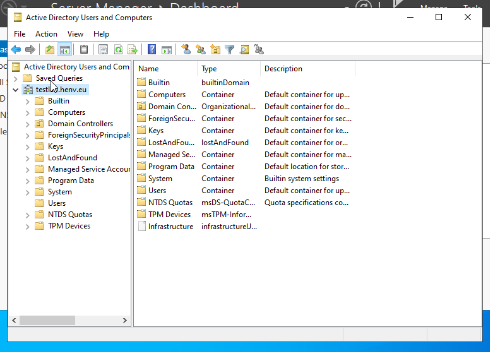 Active Directory Users and Computers is available
Conclusion
In this short project I setup an Active Directory test lab behind a firewall that manages the test labs networking. This test lab is ready to be used to experiment with different enterprise subjects and to be broken by messing around with things.